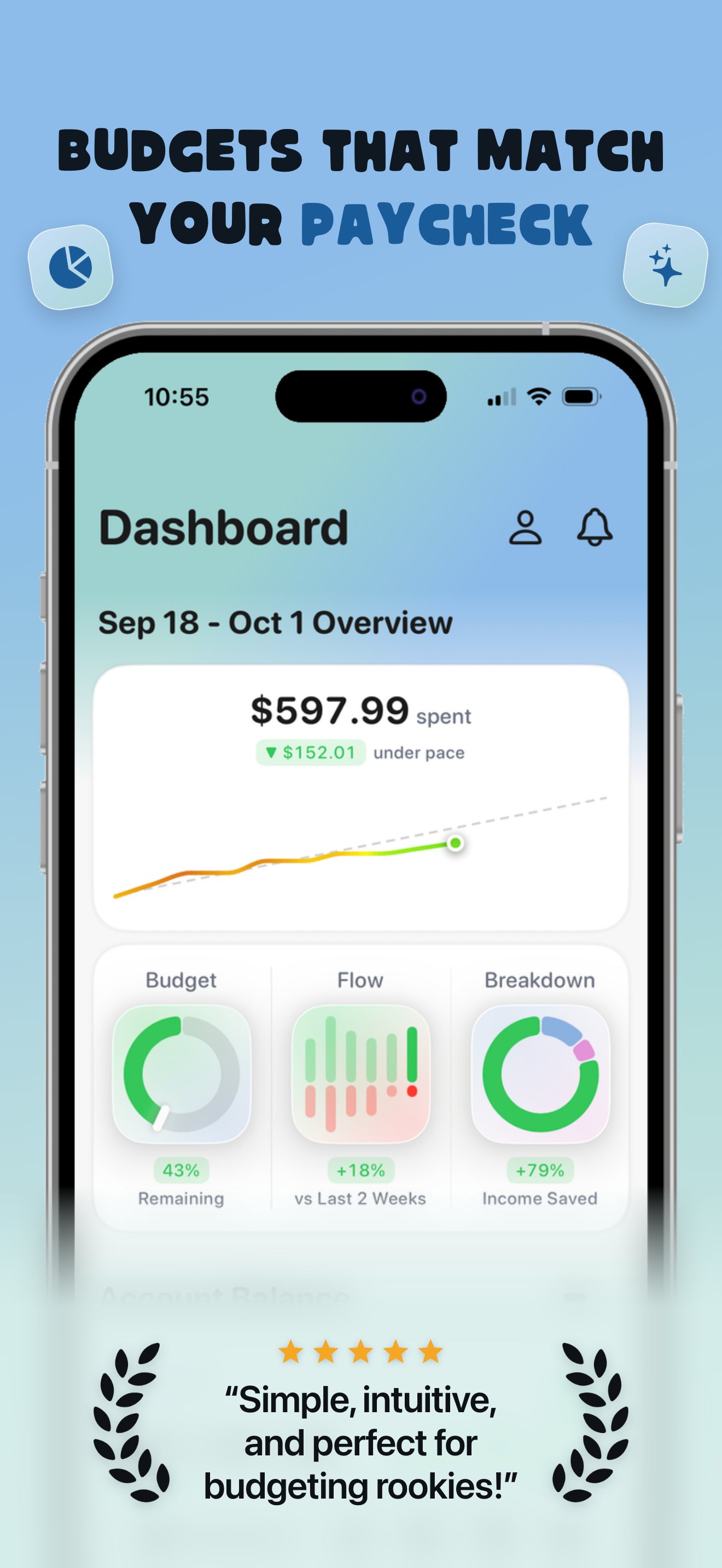
Budgets that match your paycheck — Almie budgets weekly, biweekly or monthly

Budgets that match your paycheck — the Almie Dashboard showing a Sep 18 to Oct 1 overview, $597.99 spent, $152.01 under pace, with Budget, Flow and Breakdown dials
Now on the App Store

Everyone budgets differently. Almie fits the way you do.

Download it free, connect up to three banks, and build a budget that runs on your paycheck instead of the calendar month.

Download on theApp Store

Free on iPhone · iOS 26 and up

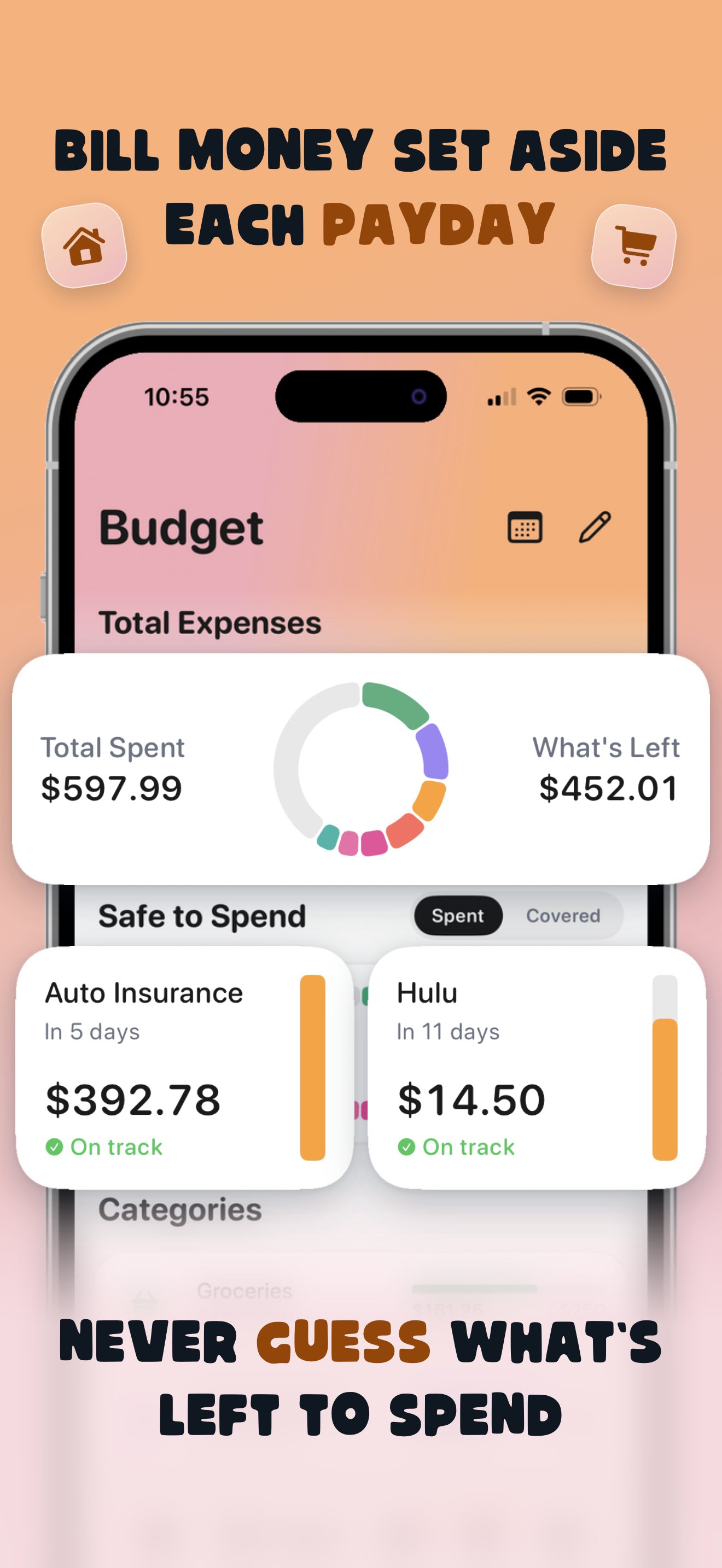
Bill money set aside each payday — the Almie Budget screen with total spent, what's left, and reserves for Auto Insurance and Hulu both on track
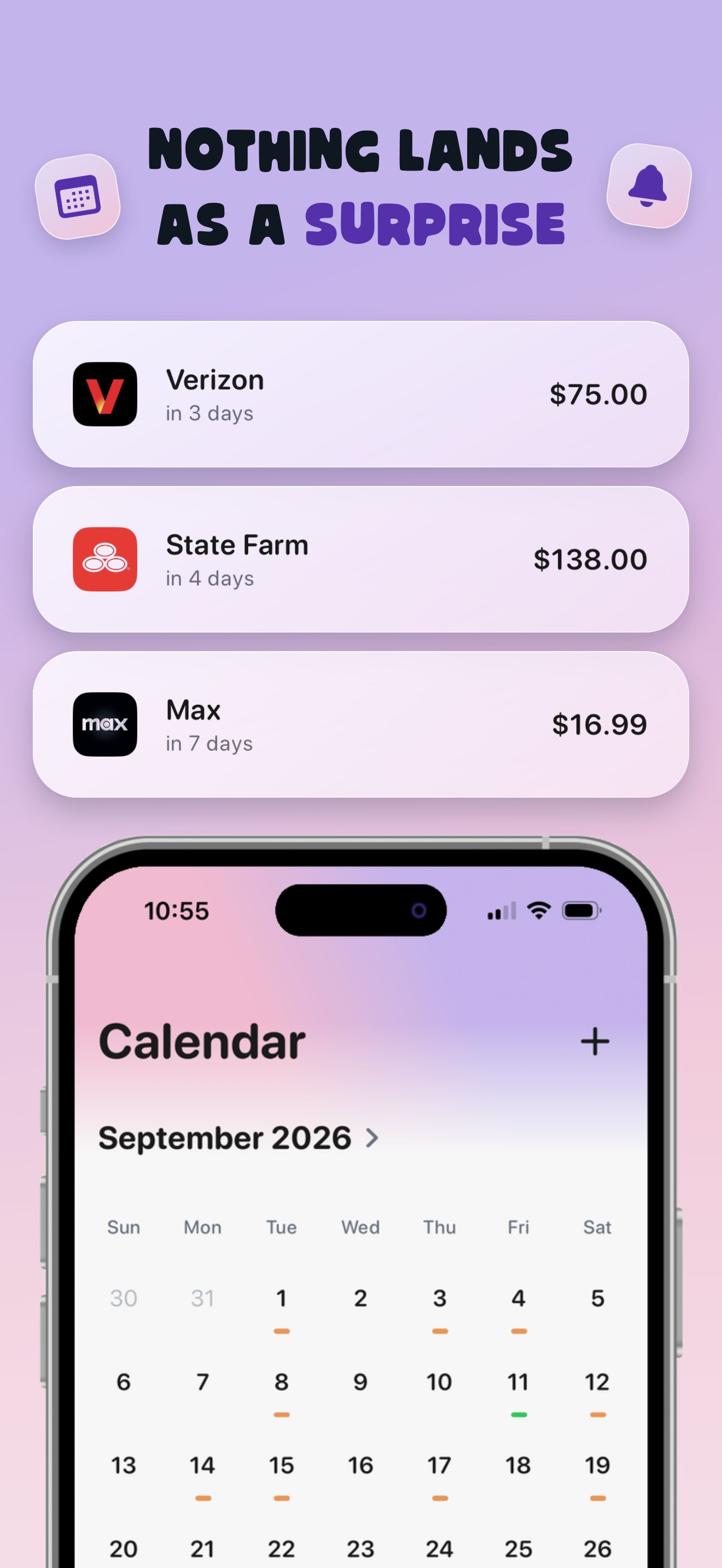
Nothing lands as a surprise — the Almie Calendar for September 2026 with upcoming Verizon, State Farm and Max charges above the month view
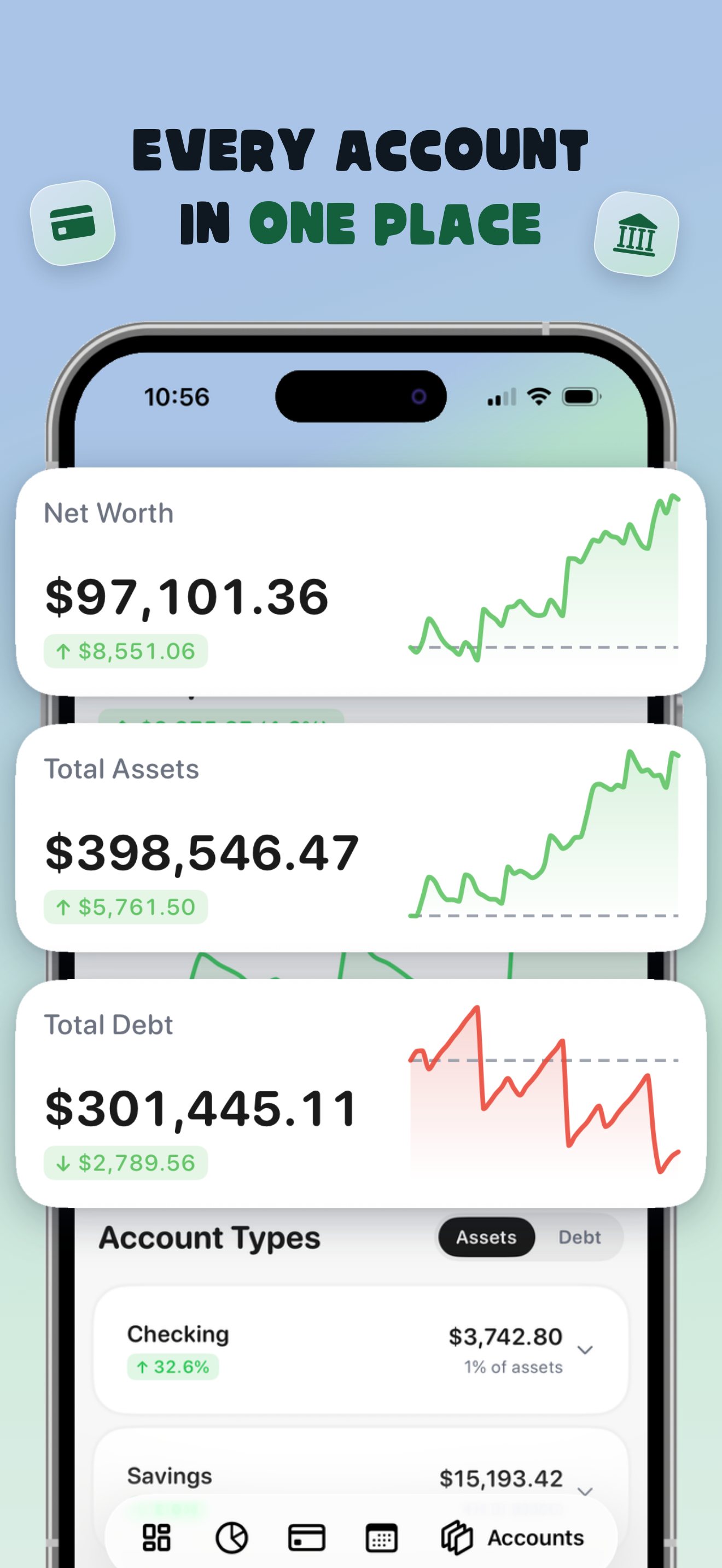
Every account in one place — Almie Accounts showing net worth, total assets and total debt with trend charts across checking, savings, cards and loans
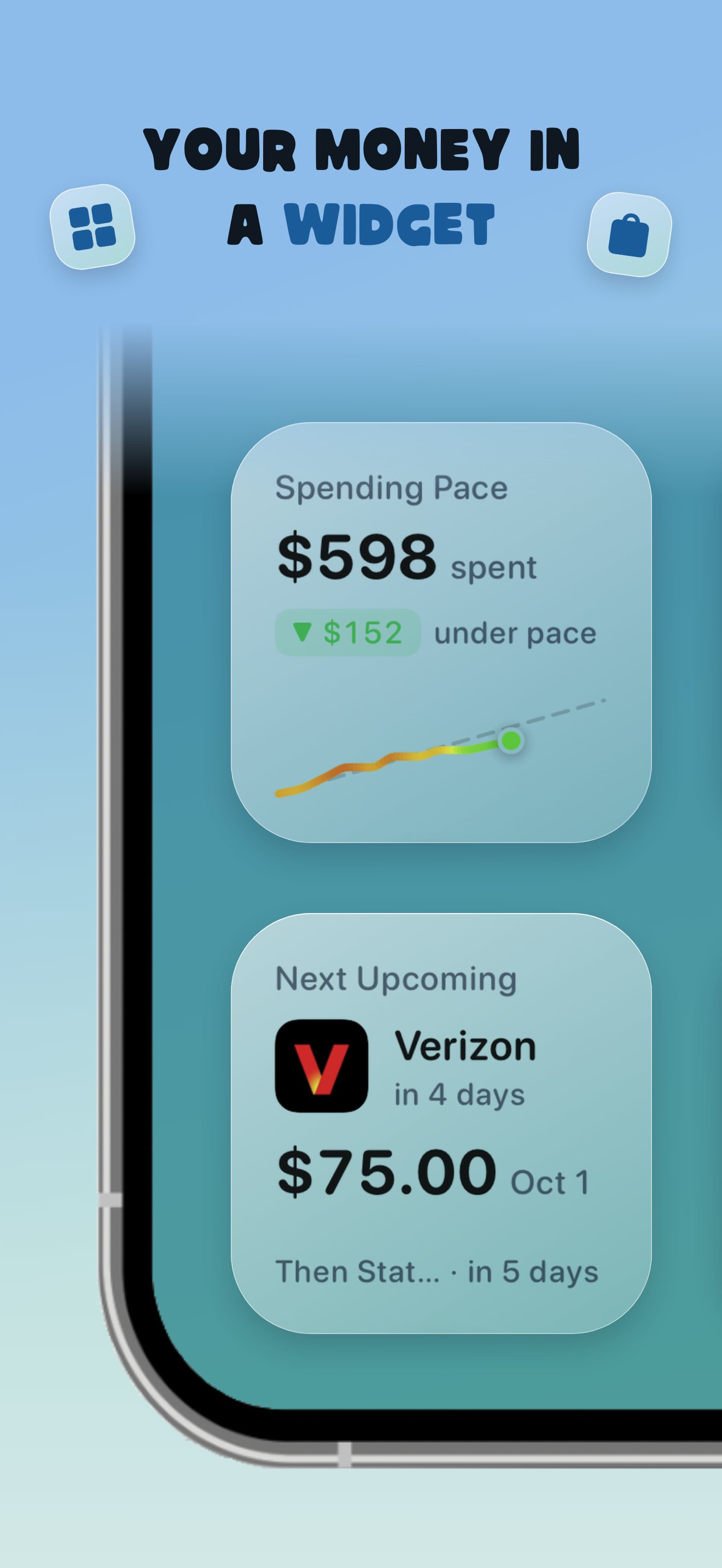
Your money in a widget — Almie Home Screen widgets showing spending pace and the next upcoming bill without opening the app
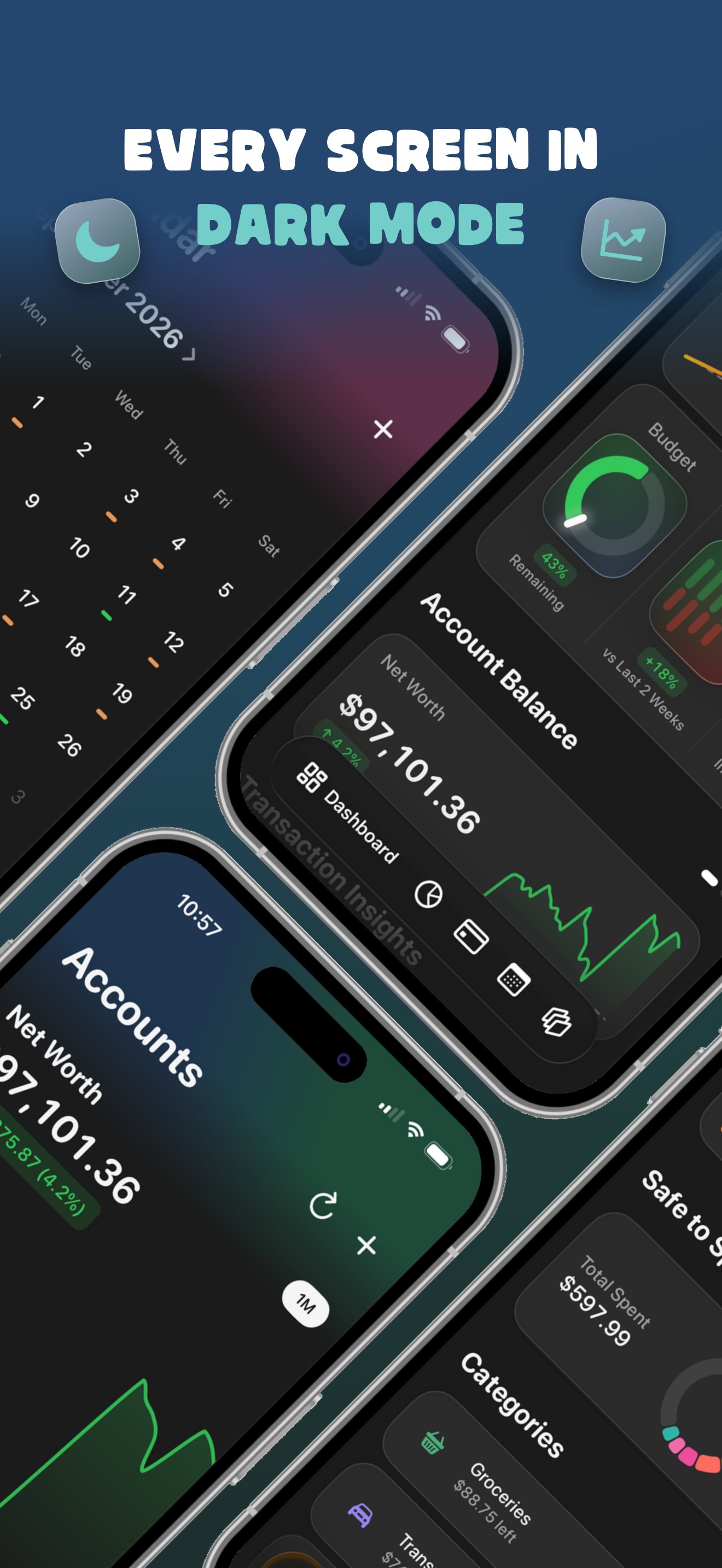
Every screen in dark mode — the Almie Calendar, Dashboard and Accounts screens in a full dark theme
Your data stays yours

Built to be trusted with your money.

Your bank login never touches our servers. We connect through Plaid with read-only access, so Almie can see your balances but never move a cent.

256-bit encryption
We never see your bank login
Read-only access
12,000+ banks via Plaid
Questions

Good to know.

Does Almie work if I get paid weekly or biweekly?

Yes. Almie builds every budget around your pay period — weekly, biweekly or monthly — so the budget resets on payday instead of the first of the month. You choose your cadence during setup and can change it later.

Is Almie free?

Almie is free to download and use with up to three connected banks. Almie Premium raises the connection limit and is available as a monthly or yearly subscription.

How does Almie connect to my bank?

Through Plaid, with read-only access to more than 12,000 banks and credit unions. Your bank login is entered with Plaid and never touches Almie's servers, so Almie can see balances and transactions but can never move money.

What is Safe to Spend?

You set the limits for your spending categories. Almie adds them up, holds back the money reserved for upcoming bills, and counts it down as you spend — so the number on your Dashboard is what is genuinely left for the rest of the pay period.

What are reserves?

Reserves set money aside for a bill a little at a time across the pay periods before it is due, so an annual or quarterly charge never lands all at once. Almie shows each reserve's progress and whether it is on track.

Does Almie have widgets?

Yes. Home Screen and Lock Screen widgets show your spending pace, safe-to-spend and next upcoming bill without opening the app.

What do I need to run Almie?

Almie is an iPhone app and requires iOS 26 or later. It is currently available in the United States.
Ready when you are

Build your budget around payday.

Download Almie and let every paycheck do more.

Download on theApp Store

Free on iPhone · iOS 26 and up

Almie AlmieBudget by Paycheck Get